Keep backups in managed storage or your own bucket.
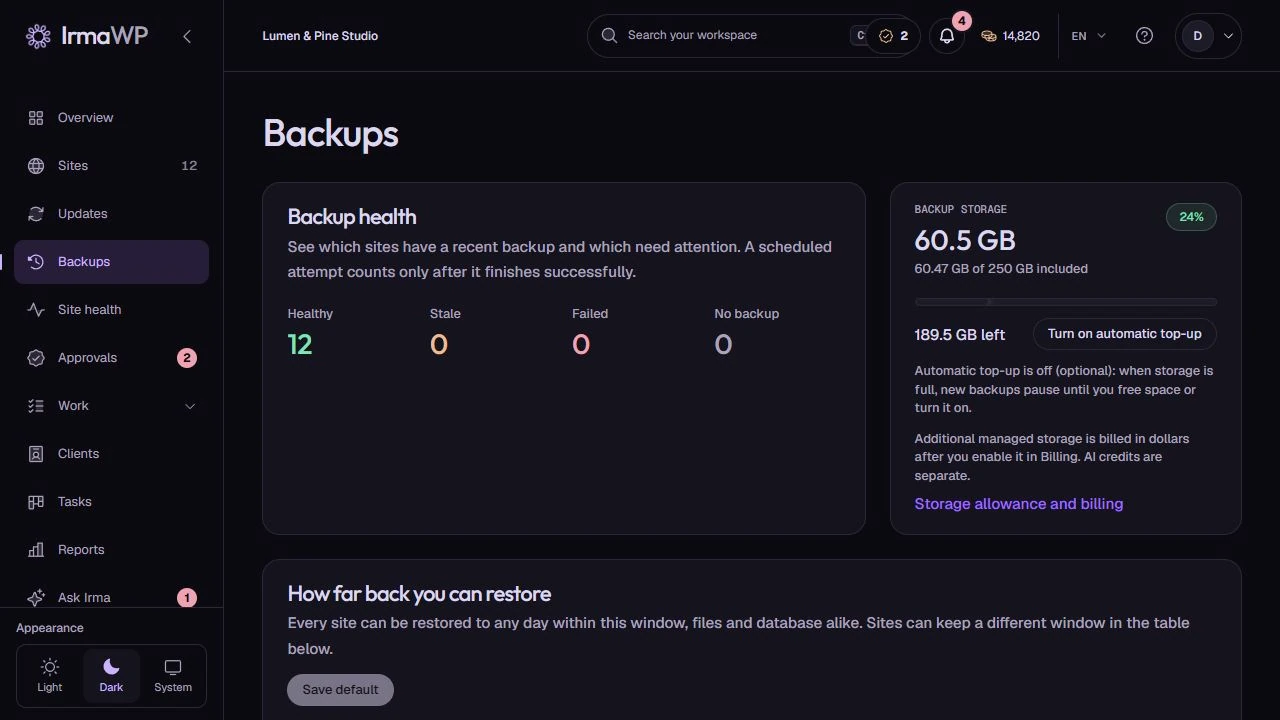
Choose where supported backup artifacts are stored, then apply destination and retention policies across the workspace or to individual sites.
How you use it
Use managed storage
Keep your included backup storage. On paid and lifetime plans, add more managed space for $0.15/GB/month. You can also use your own storage. Free keeps its 2 GB cap.
Bring an S3-compatible bucket
Configure a client-owned bucket for supported backup types, including compatible R2 storage. Your provider bills you for your own bucket. Destination credentials are encrypted and are not returned as plain values in the settings payload.
Keep the recovery path in view
A stored artifact must still be available and intact when you restore. Retention respects backup-chain dependencies so a required baseline is not casually pruned.
Keep the work in view.
An actual screen from the IrmaWP demo workspace. The workspace includes sample history; available actions depend on your plan, role and site connection.
WordPress backup destinations
Choose where supported backup artifacts are stored, then apply destination and retention policies across the workspace or to individual sites.
What to know
Is R2 the same as Amazon S3?
Does bring-your-own storage include the provider's bill?
How is managed storage overage measured?
Start with your own sites.
Connect a small portfolio, check the tools you need, and choose the plan that fits your team's work.

