Review risky changes before they run.
Internal approvals let your team check proposed work and file diffs where available. They are a safety control, not a promise that every action can be undone.
How you use it
Review the target and change
Check the intended site, request and available diff. Approval should be based on the proposed action, not just the original prompt.
Use the right reviewer
Workspace roles determine who can approve and execute work. The request history records decisions so a teammate can understand what happened later.
Apply site policy
Use linked staging where a workflow and policy require it. Staging must already exist and be connected; IrmaWP does not create a hosted clone for you.
Keep the work in view.
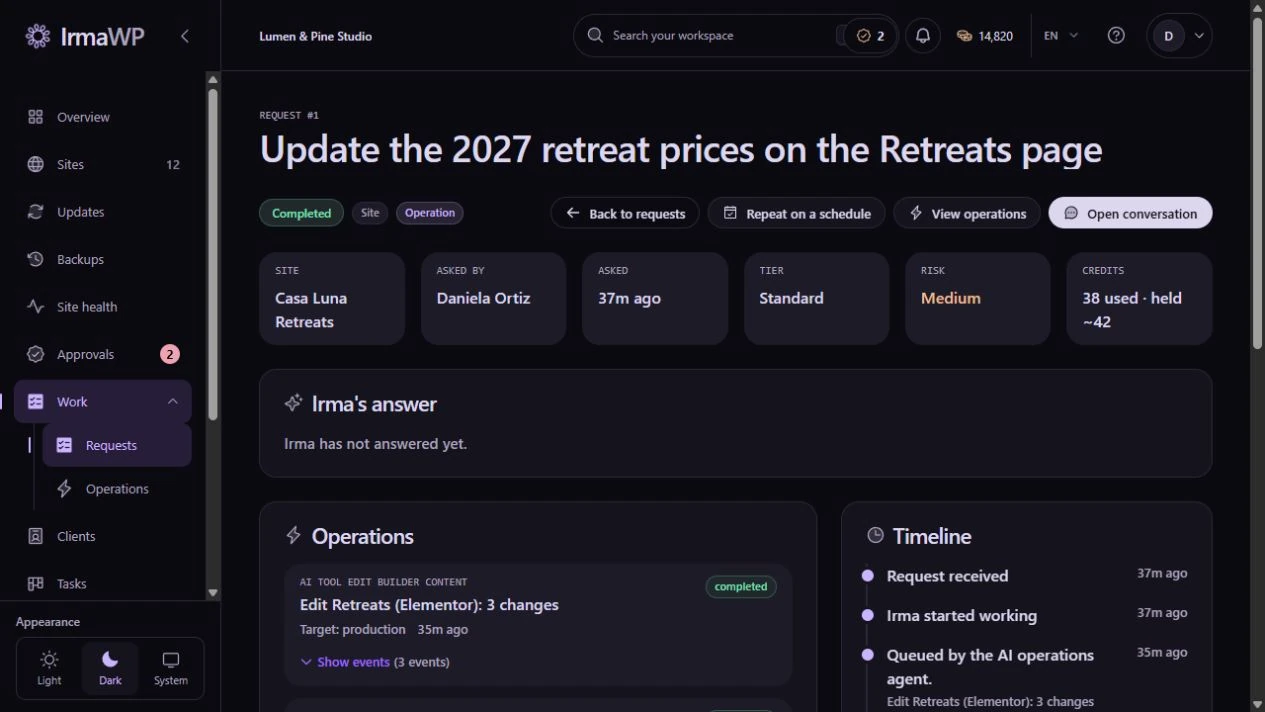
An actual screen from the IrmaWP demo workspace. The workspace includes sample history; available actions depend on your plan, role and site connection.
Team approvals and change review
Internal approvals let your team check proposed work and file diffs where available. They are a safety control, not a promise that every action can be undone.
What to know
Are these approvals the same as client sign-off?
Must I buy Agency to keep safety reviews?
Start with your own sites.
Connect a small portfolio, check the tools you need, and choose the plan that fits your team's work.

