Choose who bills your AI usage. On every plan.
Use the workspace's managed AI credits, or connect your team's own OpenRouter key and pay OpenRouter directly. You do not need a higher plan just to use your own key.
How you use it
Configure it for the team
An owner or admin manages the workspace's OpenRouter integration. The key belongs to the team configuration, not an individual user's private billing shortcut.
Keep the billing paths separate
Requests using your own key consume zero IrmaWP credits. OpenRouter bills that account for its provider usage; other plan limits and permissions still apply.
Handle failures explicitly
A failed request using your key does not silently switch to IrmaWP's managed balance or the managed fallback provider. Fix the key or model configuration before retrying.
Keep the work in view.
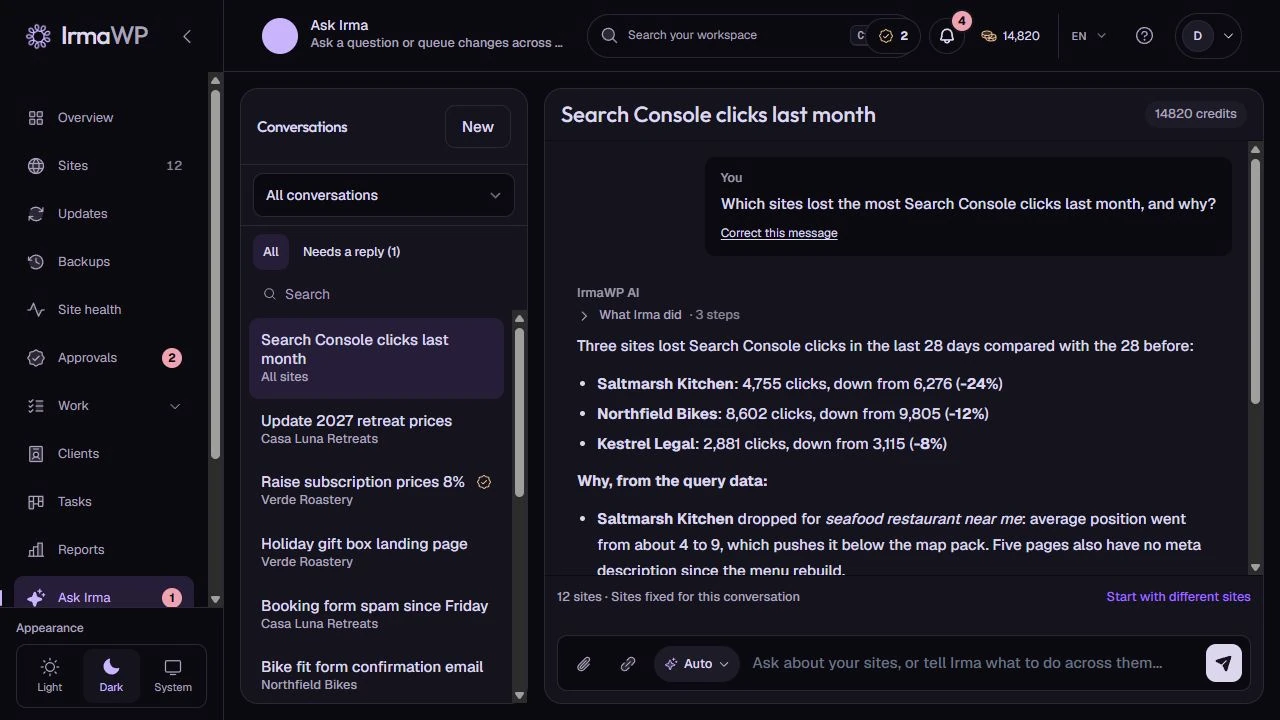
An actual screen from the IrmaWP demo workspace. The workspace includes sample history; available actions depend on your plan, role and site connection.
Bring your own OpenRouter key
Use the workspace's managed AI credits, or connect your team's own OpenRouter key and pay OpenRouter directly. You do not need a higher plan just to use your own key.
What to know
Can I set different models?
Is bring-your-own-key available on Free and lifetime plans?
Start with your own sites.
Connect a small portfolio, check the tools you need, and choose the plan that fits your team's work.

