Keep the backup history. Know what you can recover.
Track files and database backups across your WordPress sites. Set retention, review completed snapshots and choose a restore point when you need it. Use your own destination or your plan’s managed storage.
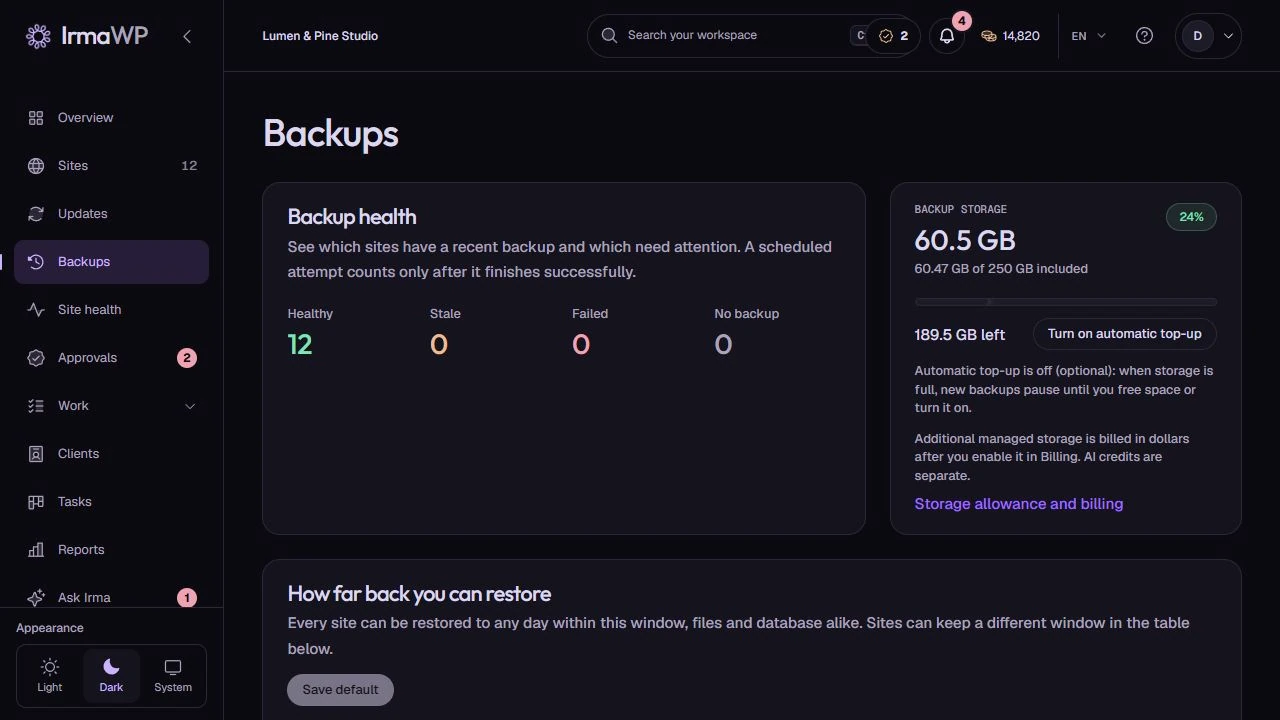
Check backup health and retention by site
Review recent successful backups, storage use and how far back each site can be restored. A scheduled attempt only improves coverage after it completes; the table keeps stale or failed sites visible.
Stored, artifact-checked and restore-tested are different states. A backup alone does not prove that every feature of a restored site will work.
How you use it
Set a practical policy
Choose schedules, retention and destinations at workspace or site level. Review the latest completed backup instead of assuming a configured schedule has succeeded.
Preserve the full chain
Managed-storage backups are always incremental and depend on earlier artifacts. Retention and consolidation respect those dependencies so a later snapshot does not lose its required baseline. Your own destinations can store supported backup types.
Verify recovery
Supported restore transfers may include checksum checks. That does not guarantee a successful end-to-end restore; confirm the result rather than treating a stored artifact or transfer check as a completed restore test.
What to know
Does the connector restore from the lost site's own disk?
What happens at the managed storage limit?
Can I turn off automatic backups without losing manual backups?
Start with your own sites.
Connect a small portfolio, check the tools you need, and choose the plan that fits your team's work.

